How to Manage File Extract
Modified on: 2025-06-24 10:02
If you choose the File Extract access method in your subscription, you must configure a file extract schedule to receive content files via email.
TABLE OF CONTENTS
- Setting Up a File Extract Schedule
- Editing a File Extract Schedule
- Viewing File Extract History
- Data Structure Reference
- Related User Guides:
Setting Up a File Extract Schedule
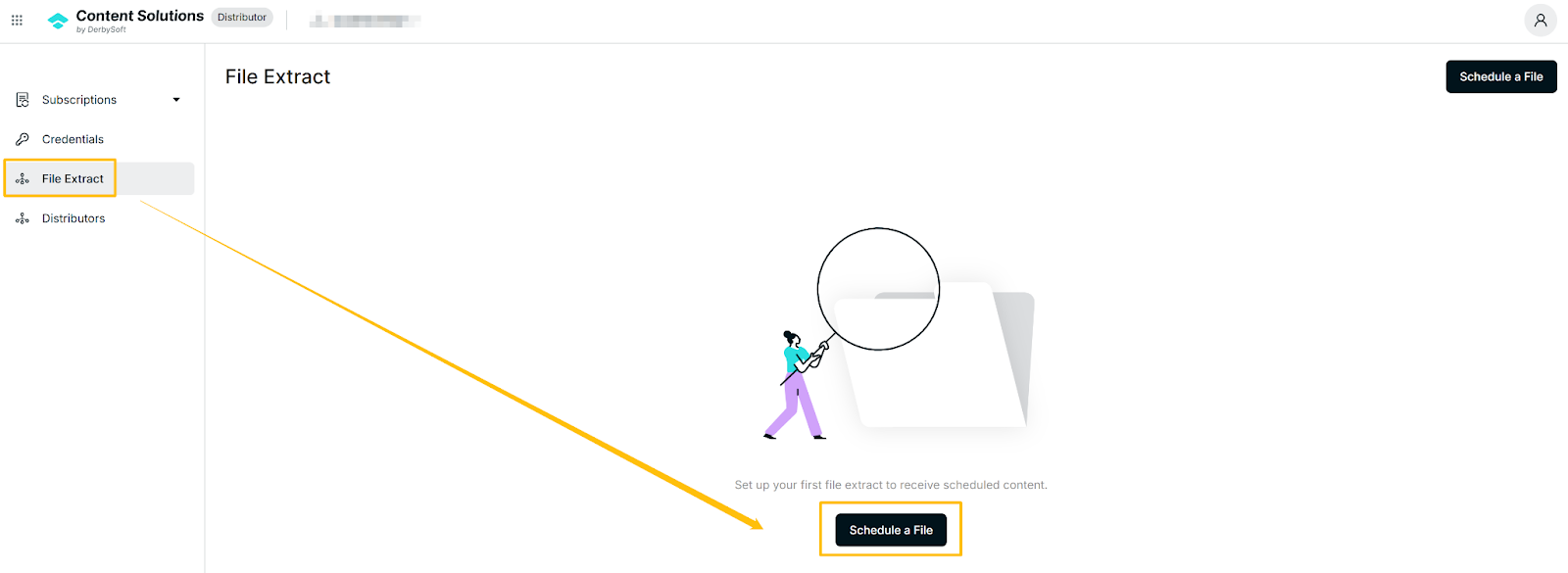
- Navigate to: File Extract in the main menu.
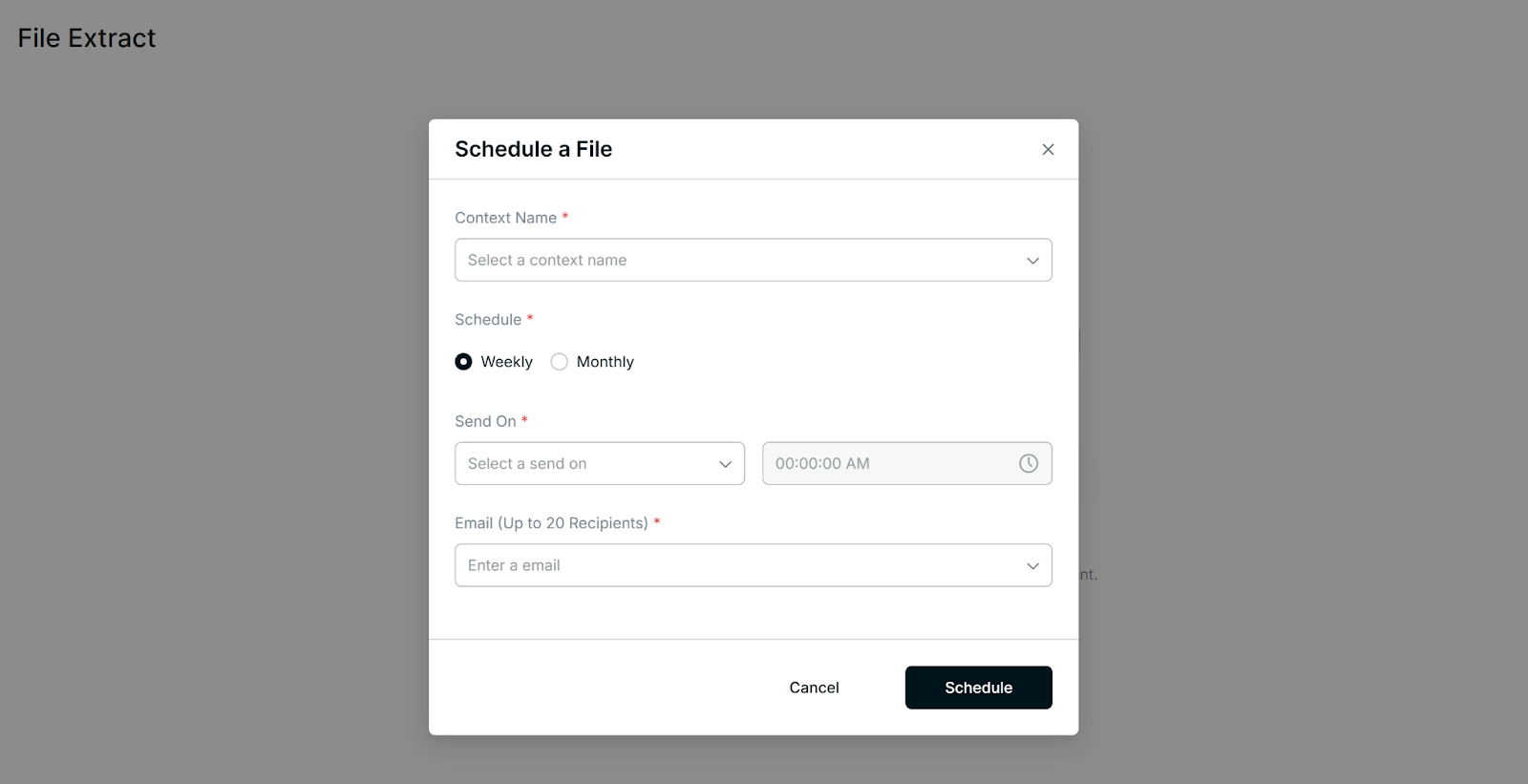
- Select a Context
Only contexts subscribed with the File Extract method are available.
Choose a Schedule
Weekly: Select which weekday to receive emails; files are sent at 00:00 (UTC).
Monthly: Select either the 1st or mid-month day; files are sent at 00:00 (UTC).
Set Recipients
You can add up to 20 email addresses.
Save your settings to activate the schedule.
Editing a File Extract Schedule
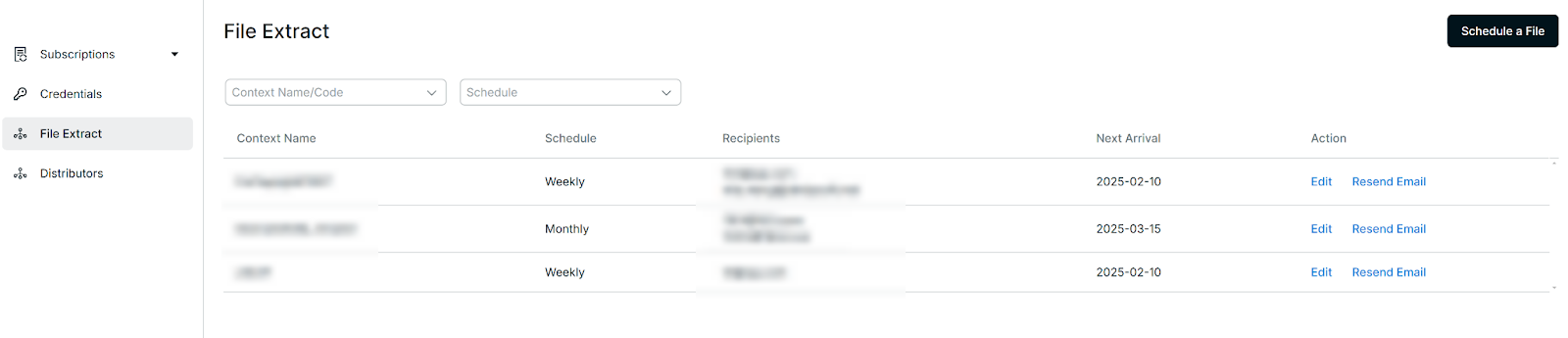
- On the File Extract page, locate your existing schedule.
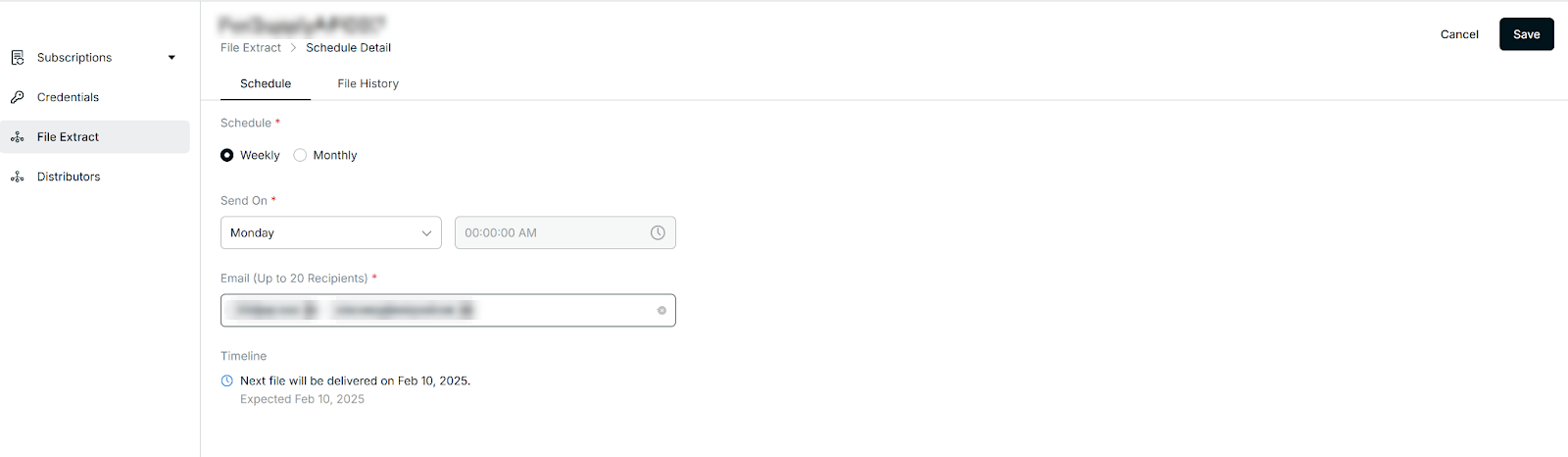
- Edit to update the context, schedule, or email recipients.
- Save changes to confirm your updates.
Viewing File Extract History
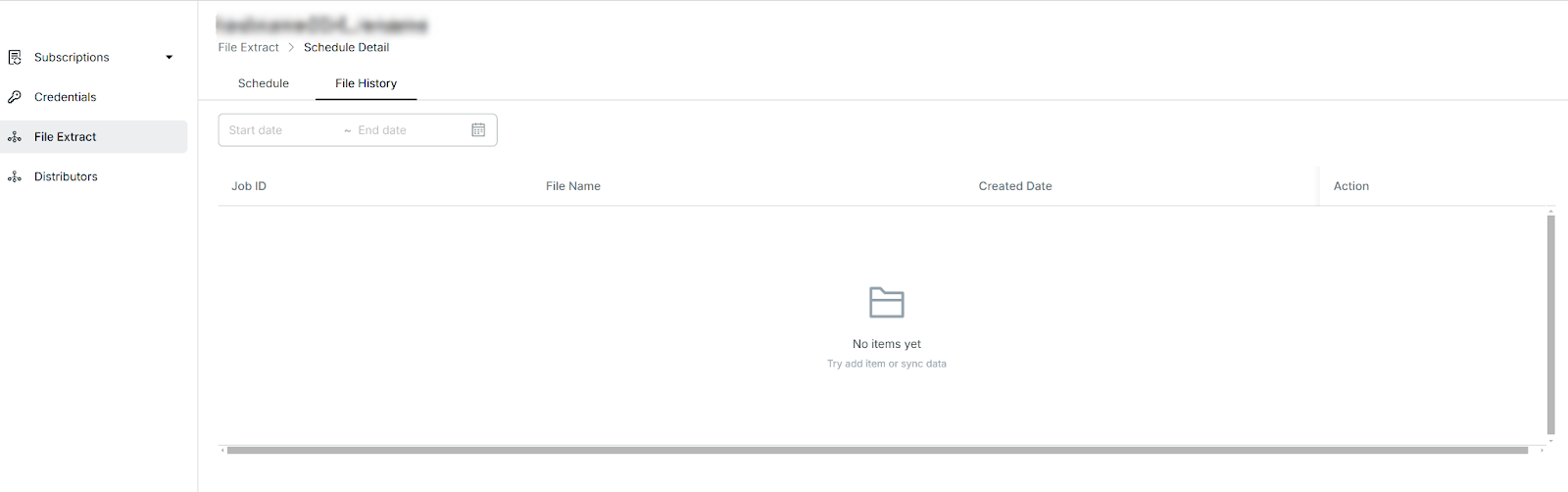
Still, on the File Extract page, click File History.
This section displays all past file deliveries, including the created date and any associated files.
Use it to verify whether files were sent successfully or to troubleshoot issues.
Data Structure Reference
Please note the following when using the file extract feature:
- Language Separation:
Each extracted file contains data in a single language only, as provided by suppliers. If you request multiple languages, separate files will be generated for each. - File Size Limit:
Each file can contain up to 10,000 properties at maximum. - Data Scope:
The extract currently includes basic property information only.
If you require full property content, please contact us at: product.content@derbysoft.net
- File Tab - Languages:
The file includes only the languages supported by each supplier. Refer to the supplier's language capabilities. - File Tab - Properties:
Basic property-level information only. For detailed field definitions, please refer to: Property API
Use the above steps to manage your file extract schedules and keep track of past deliveries. Be sure to maintain accurate recipient lists and check file logs regularly to ensure smooth content delivery.
Related User Guides:
Did you find it helpful? Yes No
Send feedback