Credential Management
Modified on: 2025-05-15 10:53
If you’ve chosen API as your access method for a context subscription, you’ll need to request and manage your API credentials in the Credentials module.
TABLE OF CONTENTS
Navigating to the Credential Module
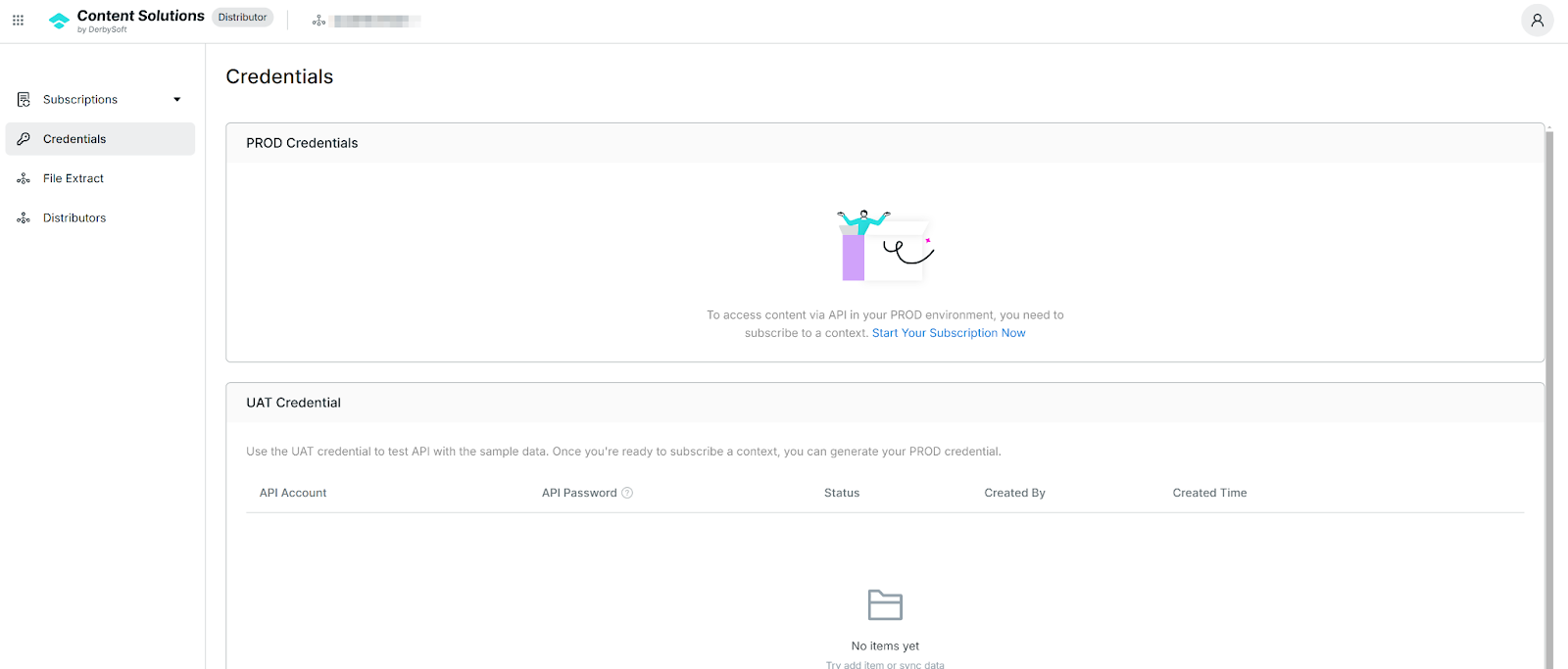
- From the main menu, select Credentials.
- This module lists all existing UAT and Production credentials and allows you to generate new ones or revoke those you no longer need.
UAT Credential
Automatic Generation
Once you subscribe to a context using the API method, the system automatically creates a UAT Credential.- Purpose
Use these credentials to test your integration. The test data is limited to a few fixed hotel properties. Additional Properties
If you want to test with specific properties beyond the default set, please contact us.
Production (PROD) Credentials
- Prerequisite
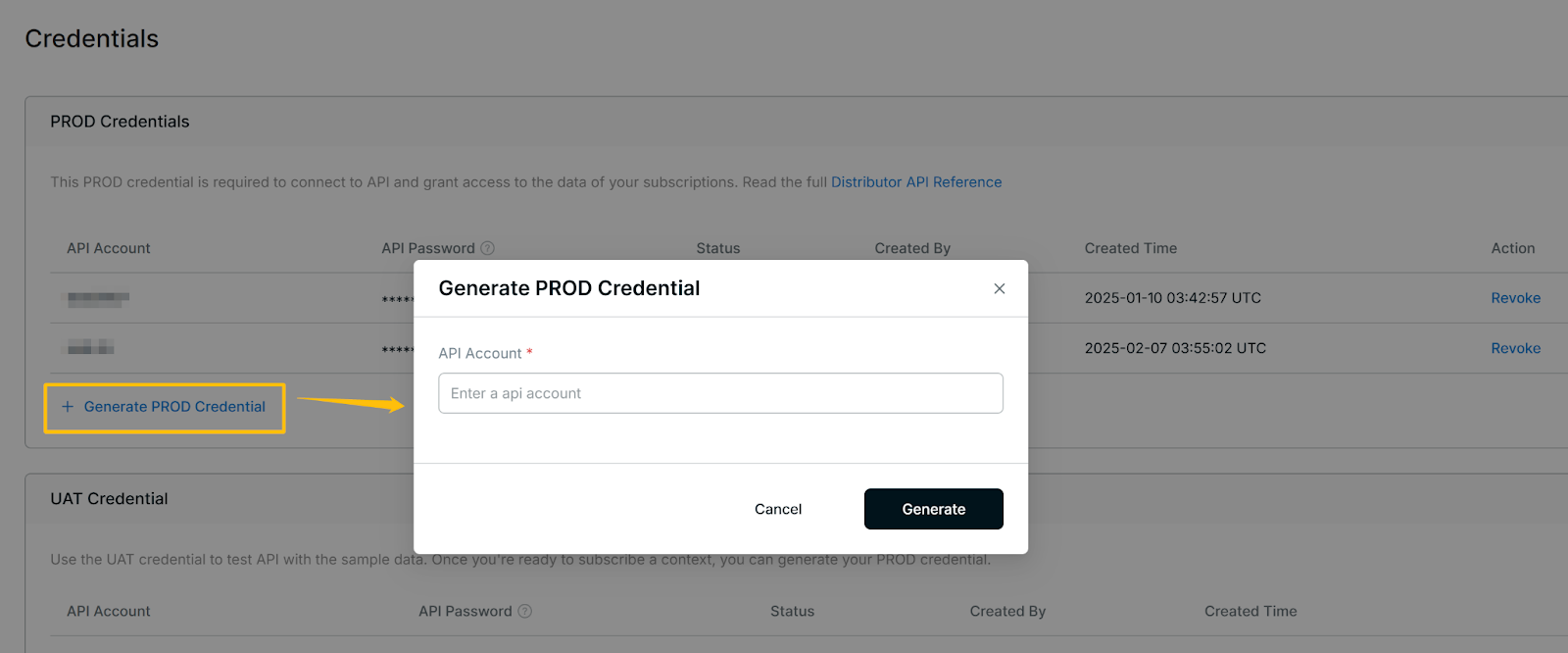
You must have at least one API-based subscription to generate Production Credentials. Creating a PROD Credential
Click Generate PROD Credentials.
Enter an API Account name.
The system then creates an API Password, visible in the PROD Credential list.
Copy this password and use it in your API requests.
Notes: The API Account name must be unique.
Revoking Credentials
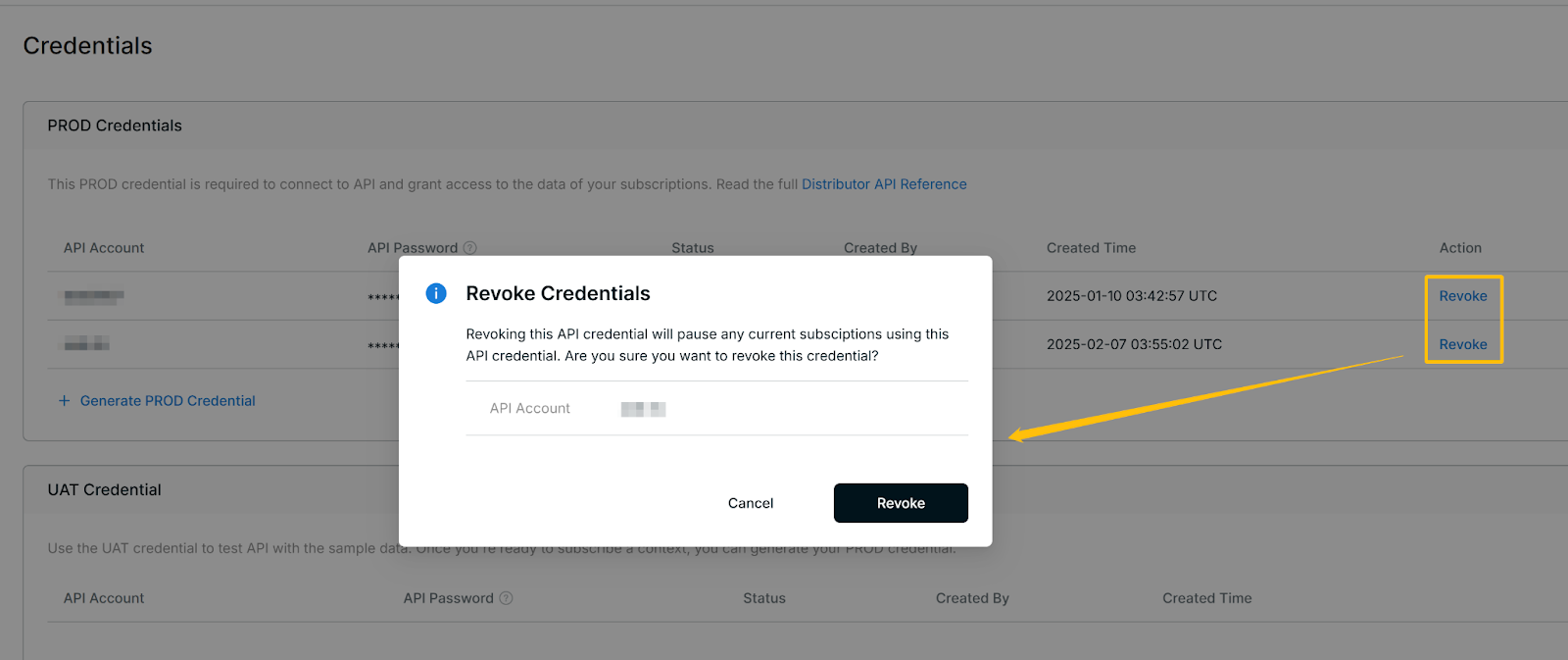
If you no longer need a particular credential, click Revoke.
Importance: Revocation is permanent and cannot be undone. Make sure you no longer need the credential before revoking.
Use the UAT credentials to fine-tune your integration. Once you’re ready for live data, generate and apply your PROD Credentials to authenticate your requests. Remember to keep all credentials secure and promptly revoke any that are no longer in use.
Related User Guides:
Did you find it helpful? Yes No
Send feedback